I spent three months trying every productivity app I could find Notion, Todoist, TickTick, Google Tasks. I had colour-coded systems, nested folders, and seventeen reminder types. And yet, my SmartLivingBlog drafts were sitting untouched. That experience is exactly why I wrote this guide.
You install a new productivity app, feel excited, create neat categories, color code tasks, set reminders, and feel like your life is finally under control. The next day, you spend more time moving tasks around in the app than actually finishing them. By the end of the week, you feel busy, but nothing important is done.
If this sounds familiar, you are not alone. Many beginners are quietly wondering the same thing: are Productivity Apps Less Productive? For some people, these tools become true helpers. For others, they turn into yet another digital distraction. Productivity apps are just tools, and they do not automatically make anyone more efficient. How much they help depends on how you use them, how many you use, and how well they fit your lifestyle.
This beginner friendly guide will walk you through what productivity apps actually do, how they affect your focus, where they genuinely help, and where they can quietly reduce productivity. The goal is simple. By the end, you should feel confident to decide whether these apps fit your life, your habits, and your way of working.
What Are Productivity Apps And What Do They Do?
Productivity apps are digital tools that help you plan, organize, and track your tasks, time, and goals. They usually live on your phone, tablet, or laptop and can sync across devices. Instead of keeping everything in your head, or on scattered papers, they give you one place to store what you need to do.
You can think of a productivity app like a digital personal assistant that writes things down for you and reminds you at the right time. It can hold your to do list, your calendar, notes, reminders, and even habits you want to build. Many apps also integrate with email, cloud storage, and smart home devices to keep everything in one system.
In daily life, these apps solve a simple but important problem. Our brains are not designed to remember every meeting, bill, birthday, and tiny task. When you offload some of this to a clear system, you reduce mental load and make it easier to focus on the work in front of you.
How Do Productivity Apps Work For Everyday Users?
For beginners, the inner technology is not as important as the experience. Most productivity apps work in a similar pattern. You open the app, add tasks or events, assign dates or times, and the app reminds you when something is due.
Many apps include features like:
-
Task lists with due dates and priorities
-
Calendars for meetings and appointments
-
Reminders and push notifications
-
Habit trackers and daily streaks
-
Focus timers and simple analytics
From the user side, you type or tap in what you need to remember, group tasks into projects or categories, and choose when you want to be reminded. The app then sends you alerts at the right time, shows lists of what is due today, and sometimes suggests which task to do next.
The important thing to remember is that the app organizes information, but you still have to choose what matters, when to work, and how deeply to focus. The tool supports your system. It does not replace it.
Are Productivity Apps Less Productive For Beginners?
Productivity apps can become less productive when they create more digital activity than real progress. They often reduce productivity when beginners spend more time planning, adjusting settings, or trying new apps than actually doing the work.
Some common patterns where productivity apps become a problem are:
-
Constantly switching between different apps instead of sticking to one system
-
Spending long periods organizing tasks, tags, and colors, while delaying hard tasks
-
Using reminders as a substitute for self discipline, then ignoring the alerts
-
Checking apps repeatedly during the day, which breaks focus
Researchers have found that frequent task switching and digital multitasking are linked with weaker attention and slower performance. People who constantly jump between different streams of digital information tend to be more easily distracted and perform worse on simple focus tasks. This does not mean productivity apps are bad. It simply means that if you use too many tools, constantly rearrange lists, and multitask between apps, you may end up feeling busy while getting less meaningful work done.
If you want to understand more about why some smart tools fail to improve daily life, you can read my guide on why smart gadgets sometimes do not work as expected and how to use them the right way.
Do Productivity Apps Actually Help You Get More Done?
Productivity apps help when they support clear goals and simple routines. Studies on digital tools in workplaces show that structured platforms for task tracking and collaboration can improve efficiency when they are used consistently and kept simple.
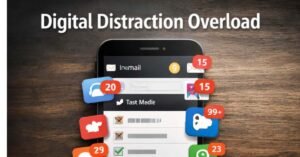
They are most effective when you:
-
Use one main app as your central system
-
Review tasks at fixed times, not all day long
-
Keep task lists short and realistic
-
Use reminders for truly important items, not every small action
In these situations, the app reduces the mental effort of remembering everything. You can see your day at a glance, notice what is most important, and protect time for deep work.
On the other hand, apps are less effective when they are used mainly for comfort. For example, if you repeatedly add and reorganize tasks to feel in control, instead of touching the uncomfortable but important work, you may feel active without real progress. This is often called “productivity theatre” the illusion of productivity without actual outcomes.
How Do Productivity Apps Affect Your Focus And Attention?
The way productivity apps handle notifications has a strong impact on focus. Many apps send push alerts for new tasks, calendar events, upcoming deadlines, and habit reminders. These alerts often appear alongside messages, social media updates, and emails.
Research on smartphone notifications shows that frequent alerts interrupt concentration and increase error rates, even when the interruptions are very short. Studies also suggest that reducing notification related interruptions tends to improve performance and lower mental strain.
At the same time, research on media multitasking has found that people who constantly switch between multiple digital streams often perform worse on tasks that require attention and memory. This is important for productivity apps, because checking the app every few minutes can become another form of multitasking.
So, if you allow every small reminder to interrupt your work, productivity apps can quietly fragment your attention. If you control notifications and only check your system at set times, they can protect your focus instead of breaking it.
Key Benefits Of Productivity Apps For Everyday Life
When used with intention, productivity apps offer several realistic benefits for daily living. These benefits apply to students, busy professionals, parents, and anyone trying to balance many responsibilities.
-
Less mental overload
You no longer need to keep every task in your head. Important items are stored in one place, which frees mental space for thinking and decision making. -
Better planning of busy days
You can see meetings, errands, and personal tasks together on one screen. This makes it easier to avoid overbooking and to create realistic plans for your day. -
Helpful reminders for important tasks
Bills, renewals, appointments, and family events are easy to forget. Smart reminders reduce the chance of missing something that truly matters. -
Healthier habit building
Simple habit tracker features can nudge you to drink water, stretch, read, or practice meditation. Over time, small daily actions can create meaningful lifestyle change. -
Improved collaboration at home and work
Shared lists and calendars help families coordinate groceries, chores, and events. In small teams, shared task boards make responsibilities clear and reduce confusion. -
Better boundaries and time awareness
When tasks and deadlines are visible, it becomes easier to set end times for work and protect personal time, which supports healthier work life balance. -
Support for smart home routines
In some setups, productivity apps can connect with smart speakers or smart displays to read out your agenda or remind you about important tasks during your normal routines.
These benefits appear when the system stays simple and aligned with your real life, rather than becoming a complicated hobby in itself.
Is This Type Of App Right For You?
Productivity apps are helpful for many people, but they are not necessary for everyone. They tend to work best for people who manage many moving parts in their day.
You may benefit if:
-
You juggle multiple work projects, family duties, and personal goals
-
You often forget tasks or feel mentally overloaded
-
You like seeing your day and week mapped out visually
-
You use a smartphone or laptop regularly for work or study
-
You are willing to build a simple routine around one main app
You may not need a digital productivity system if:
-
Your day has only a few repeating tasks that never change
-
You already manage well with a simple notebook or wall calendar
-
You find that apps tempt you into social media or other distractions
-
You feel more peaceful when your planning system is offline
For some beginners, a paper planner or simple notes file is enough. For others, a light digital system brings clarity and calm. The right choice depends on your personality, your work style, and how comfortable you are with technology.
Things To Know Before You Rely On Productivity Apps
Before you make productivity apps a central part of your life, it helps to understand a few practical points and limitations.
-
These tools are not magic solutions
Research and expert opinions agree that apps are only tools. They can support your habits, but they do not create discipline or motivation on their own. -
Notification control is essential
Studies show that frequent interruptions from notifications reduce performance and increase stress. Plan from the beginning which alerts you truly need, and turn off the rest. -
Too many apps create confusion
Having separate apps for every single function can increase switching time and digital noise. Many people are more effective with one central system than with four or five overlapping tools. -
There may be a learning curve
Some apps have many features that can feel complex at first. It is normal to need a few days or weeks to settle into a simple setup that feels natural. -
Data syncing and privacy matter
Many productivity apps store information in the cloud. It is wise to read basic privacy settings and understand how your data is backed up and synced across devices. -
This may vary by app or platform
Different apps handle features like offline access, security, and integration with other tools in different ways. This may vary by brand or model, so always check the details before relying on an app for critical work.
Knowing these points early can prevent disappointment and help you build a healthier relationship with digital tools.
How To Get Started With Productivity Apps As A Beginner
Starting simple is the smartest way to use productivity apps without feeling overwhelmed. You do not need ten tools or advanced systems to see benefits.
A beginner friendly approach looks like this:
-
Choose one primary app
Pick a single app that can store tasks and events together, instead of splitting your life into multiple disconnected tools. -
Create three to five main categories
For example, Work, Home, Personal, Health, and Studies. Avoid building complicated folders in the beginning. -
Add only the next few days of tasks
Do not try to enter your whole life history. Start with today and tomorrow, then gradually add more as needed. -
Schedule one daily review time
Spend five to ten minutes in the morning or evening updating your list. Outside this time, avoid constantly checking the app. -
Protect focus blocks
When you start an important task, keep the app closed, silence non essential notifications, and work in a single tab or window until you finish. -
Adjust weekly, not constantly
Once a week, clean up your tasks, remove old items, and refine your categories. This keeps the system healthy without turning it into a full time hobby.
With this approach, the app serves you quietly in the background, instead of pulling your attention all day.
Common Mistakes Beginners Make With Productivity Apps
Many beginners fall into similar patterns that make productivity apps feel disappointing. Being aware of these mistakes can save you a lot of time and frustration.
-
Installing too many apps at once
Trying five or six task apps in the same week usually creates confusion, not clarity. It becomes hard to remember where you wrote what. -
Over customizing everything
Spending hours on tags, icons, and color schemes can feel satisfying, but it does not move your real work forward. Keep your setup simple until you see clear benefits. -
Checking the app every few minutes
Constantly opening and closing the app interrupts your flow and can become another distraction, similar to social media checking. -
Relying fully on notifications
If you wait for the app to tell you what to do every moment, it can weaken your own planning skills. Use reminders for support, not for every tiny action. -
Confusing planning with progress
Planning is important, but it is only the starting point. Real productivity comes from time spent doing focused work on important tasks.
Avoiding these traps makes it more likely that your app will genuinely support your life instead of complicating it.
Frequently Asked Questions About Productivity Apps
1. Do productivity apps really make people more productive?
Productivity apps can help people become more productive when they support clear goals, reduce mental load, and are used in a simple, consistent way. They do not guarantee better results on their own, and they can hurt productivity if they create distraction or over planning.
2. Why do I feel busy but not productive when I use these apps?
Many people feel busy because they spend time organizing, tagging, and rearranging tasks without starting real work. This creates the feeling of activity without outcomes, sometimes called productivity theatre.
3. Are productivity apps less productive in the long run?
They can be less productive in the long run if you become emotionally dependent on them, avoid difficult tasks by changing lists, or measure success by app usage instead of real results. They tend to help when they remain simple support tools and you combine them with focused work sessions.
4. Is a paper planner better than a digital productivity app?
For some people, yes. A paper planner avoids digital distractions and can feel calmer and more tangible. For others, digital apps win because they sync across devices, send reminders, and integrate with work tools. The better option depends on your habits and environment.
5. How many productivity apps should a beginner use?
For most beginners, one main app is enough. Adding more tools rarely improves productivity unless you clearly understand why each one is needed and how they work together.
6. Do notifications from productivity apps harm focus?
Frequent notifications from any app, including productivity tools, can break concentration, increase errors, and raise stress levels. Research suggests that reducing notification based interruptions improves performance for many people.
7. Can productivity apps reduce stress?
They can reduce stress when they help you remember important tasks, avoid last minute surprises, and create realistic plans. They can increase stress if you overload them with tasks, check them constantly, or feel guilty when you see long unfinished lists.
8. Are AI powered productivity apps better than normal ones?
AI powered apps can suggest schedules, prioritize tasks, and reduce manual planning. However, they still depend on you to choose what matters and to take action. AI can support your system, but it cannot replace discipline or clear thinking.
9. How can I stop productivity apps from becoming a distraction?
Limit the number of apps, turn off non essential notifications, set fixed times to review your system, and keep your setup simple. When you work on a task, close the app and focus on the work, not on the list.
10. Are productivity apps useful for students and remote workers?
Yes, they can be very useful. Students and remote workers often manage multiple subjects, projects, and deadlines. A simple digital system can help them stay organized, coordinate with others, and balance work with rest.
11. Do productivity apps help with work life balance?
They can help by making your workload visible and reminding you of personal tasks, family events, and rest time. When you see everything clearly in one place, it becomes easier to set boundaries and avoid constantly thinking about work.
12. Are productivity apps suitable for smart home users?
Yes, many smart living setups integrate calendars, reminders, and task lists with smart speakers or displays. This allows you to hear your agenda, add tasks by voice, or receive gentle reminders while you move around your home.
Conclusion
So, are Productivity Apps Less Productive or can they truly help you get more done? The honest answer is that they are neutral tools. They can quietly reduce productivity if they lead to constant multitasking, endless planning, and notification overload. They can strongly support productivity when they stay simple, reduce mental load, and guide you toward focused action.
If you are a beginner, you do not need a perfect system to start. Choose one app, keep your setup light, limit notifications, and focus most of your energy on doing the work, not decorating the list. Let technology act as a calm assistant that supports your priorities, rather than a noisy boss that constantly grabs your attention.